Phishing attacks remain one of the most common and damaging cyber threats worldwide. According to the FBI’s Internet Crime Complaint Center (IC3), phishing consistently ranks as the top reported cybercrime, with hundreds of thousands of complaints each year. While many phishing emails look convincing on the surface, their hidden metadata often tells a very different story.
This is where email header analysis becomes a powerful investigative tool. By examining an email’s full headers, you can trace its origin, detect spoofing, and uncover signs of manipulation. Whether you’re an IT professional, a small business owner, or simply a cautious user, understanding how to trace a phishing email through header analysis can help you stay ahead of attackers.
What Is an Email Header?
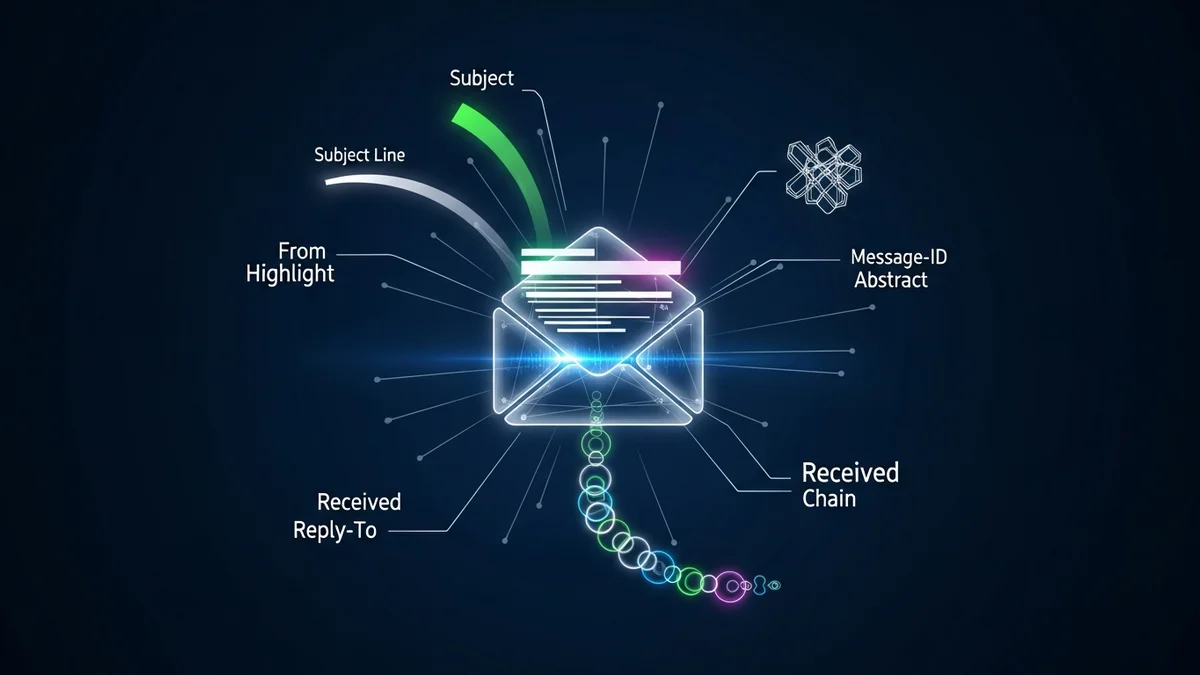
An email header is the technical metadata attached to every email message. While you normally see fields like “From,” “To,” and “Subject,” the full header contains far more detailed routing and authentication information.
Key components of an email header include:
- Received: Shows the servers the message passed through, in chronological order.
- Return-Path: Indicates where bounce messages are sent.
- Message-ID: A unique identifier for the message.
- SPF (Sender Policy Framework): Verifies whether the sending server is authorized.
- DKIM (DomainKeys Identified Mail): Uses cryptographic signatures to confirm authenticity.
- DMARC: Aligns SPF and DKIM results to prevent domain spoofing.
Phishing emails often manipulate visible fields like “From,” but they cannot easily fake the entire chain of server records. That’s why header analysis is so effective.
How to Access Full Email Headers
Before you can trace a phishing email, you need to access its full header. Most email providers make this possible, though the option may be hidden in advanced settings.
- Gmail: Open the message → click the three dots → “Show original.”
- Outlook: Open the message → File → Properties → Internet headers.
- Apple Mail: View → Message → All Headers.
Once displayed, the header may look overwhelming—lines of technical data stacked on top of each other. But with a structured approach, you can quickly identify red flags.
Step-by-Step: How to Trace a Phishing Email
Here’s a practical framework for analyzing suspicious messages.
1. Check the “From” vs. “Return-Path” mismatch
If the visible “From” address claims to be from a trusted company (like your bank), but the Return-Path shows a completely different domain, that’s a major red flag.
2. Analyze the “Received” chain
The “Received” fields show each mail server that handled the message. Start at the bottom entry (the earliest server). Look for:
- Unfamiliar foreign mail servers
- IP addresses that don’t match the claimed organization
- Suspicious hosting providers often linked to spam operations
You can copy the originating IP address into a public IP lookup tool to determine its geographic location and ISP.
3. Review SPF, DKIM, and DMARC results
Authentication failures are one of the clearest indicators of phishing:
- SPF fail: Sending server not authorized.
- DKIM fail: Message content may have been altered.
- DMARC fail: Domain spoofing likely.
Many phishing campaigns fail at least one of these checks, though more advanced attackers sometimes pass SPF while still using deceptive tactics.
4. Inspect the Message-ID domain
The Message-ID often includes the sending domain. If it doesn’t align with the claimed sender’s domain, it could indicate spoofing.
5. Look for anomalies in timestamps
Large gaps between server hops or strange time zone patterns may suggest the message was routed through multiple suspicious relays.
Common Red Flags Found in Phishing Headers
Even sophisticated phishing campaigns leave traces. Watch for:
- Domains that are misspelled (e.g., paypa1.com instead of paypal.com)
- Free email domains used for corporate impersonation
- Bulk mailing servers unrelated to the supposed sender
- Authentication failures paired with urgent language in the message body
For example, during the 2016 Democratic National Committee breach, spear-phishing emails impersonated Google security alerts. Although visually convincing, header analysis revealed inconsistencies in sending infrastructure. Today’s attackers use similar social engineering techniques, but the technical footprints remain detectable.
Why Email Header Analysis Matters More Than Ever
Phishing attacks are no longer limited to generic spam. Modern campaigns are highly targeted, often leveraging personal data obtained from previous breaches. If your email address has appeared in a data leak, you may be at higher risk for personalized phishing attempts.
That’s why proactive monitoring is essential. Tools like LeakDefend can monitor your email addresses for breaches and alert you if your data appears in exposed databases. By knowing where your information has been compromised, you can better evaluate suspicious emails claiming to reference your accounts.
LeakDefend.com lets you check all your email addresses for free and track exposure across multiple services. When combined with technical skills like header analysis, this gives you both preventative and investigative protection.
Limitations of Email Header Tracing
While powerful, header analysis isn’t perfect.
- Attackers may use compromised legitimate servers.
- Botnets distribute phishing from residential IP addresses.
- Advanced threat actors can pass SPF and DKIM checks.
In these cases, technical indicators must be combined with behavioral analysis: unexpected attachments, urgent requests, credential harvesting links, or unusual login pages.
If you suspect your credentials were exposed due to a phishing attack, it’s critical to change passwords immediately and monitor your accounts for suspicious activity. LeakDefend can help identify whether your compromised email appears in newly discovered breach datasets.
🔒 Check If Your Email Was Breached — Monitor up to 3 email addresses for free with LeakDefend. Start Your Free Trial →
Building a Phishing-Resistant Mindset
Email header analysis is a technical skill, but cybersecurity ultimately depends on awareness and habits. Always:
- Verify unexpected requests independently.
- Hover over links before clicking.
- Enable multi-factor authentication (MFA).
- Monitor your email exposure in breach databases.
Phishing succeeds because it exploits trust and urgency. Header analysis strips away the illusion and reveals the technical truth beneath the message.
Conclusion
Learning how to trace a phishing email through email header analysis empowers you to move beyond guesswork. By examining Received chains, authentication results, and domain inconsistencies, you can often uncover spoofed senders and malicious infrastructure within minutes.
In a threat landscape where phishing remains the most reported cybercrime globally, technical literacy is a powerful defense. Combine careful header inspection with proactive breach monitoring through services like LeakDefend, and you significantly reduce your risk of falling victim to email-based attacks.
The next time an urgent message lands in your inbox, don’t just read the subject line—read the headers. The real story is usually hidden there.