Passwords alone are no longer enough to protect your online accounts. With billions of leaked credentials circulating on the dark web, attackers can break into accounts using automated tools in minutes. That’s where multi-factor authentication (MFA) comes in. It adds an extra layer of security beyond your password — and it’s one of the most effective ways to prevent account takeovers.
In this guide, we’ll explain what multi-factor authentication is, how it works, why it matters, and how to start using it today.
What Is Multi-Factor Authentication (MFA)?
Multi-factor authentication (MFA) is a security process that requires users to verify their identity using two or more independent factors before gaining access to an account.
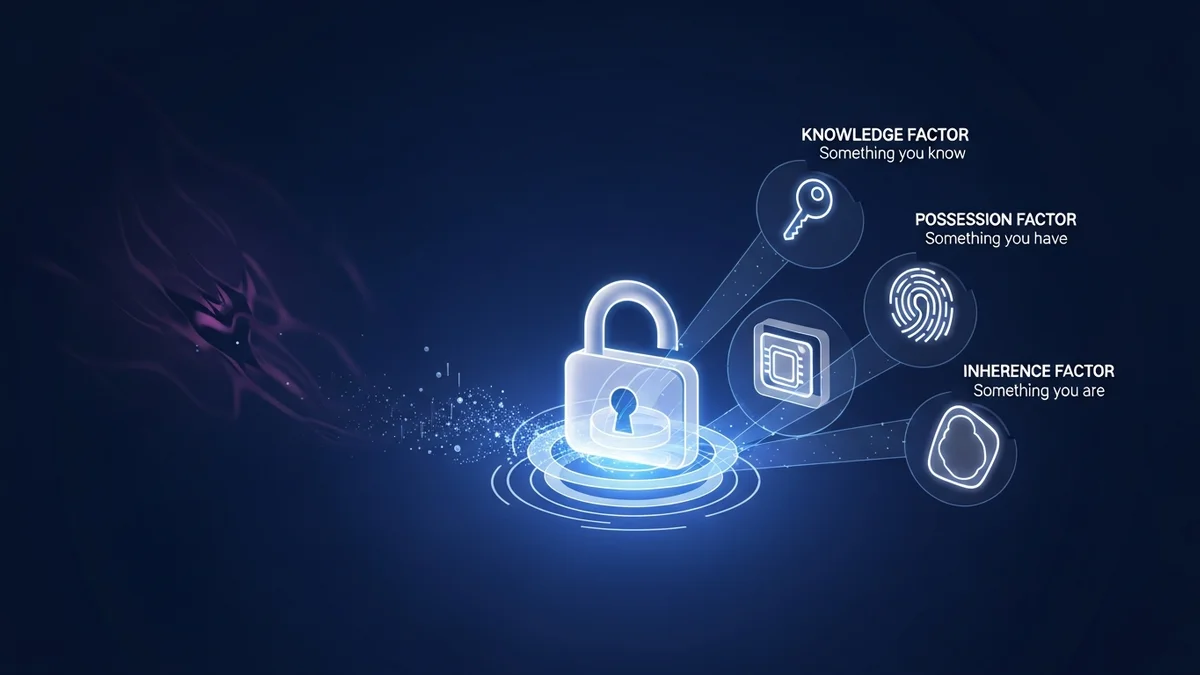
Authentication factors generally fall into three categories:
- Something you know – a password or PIN
- Something you have – a smartphone, authentication app, hardware token, or SMS code
- Something you are – biometric data like fingerprints or facial recognition
Traditional logins rely on just one factor: your password. MFA adds at least one more. Even if a hacker steals your password, they still can’t access your account without the second factor.
For example, after entering your password, you might receive a one-time code in an authenticator app or approve a login request on your phone. That extra step dramatically increases security.
Why Passwords Alone Are No Longer Safe
Data breaches have become alarmingly common. According to IBM’s Cost of a Data Breach Report, the average data breach now costs millions of dollars, and compromised credentials remain one of the most common attack vectors.
Major breaches like LinkedIn (700 million users exposed), Facebook (533 million records leaked), and Adobe (153 million accounts compromised) demonstrate how easily login data can end up online. Once credentials are leaked, attackers use a technique called credential stuffing — automatically testing stolen email and password combinations across multiple sites.
This works because many people reuse passwords. If one account is compromised, others may fall like dominoes.
Tools like LeakDefend help you monitor your email addresses for breaches so you can act quickly if your credentials are exposed. But even if your password leaks, MFA can stop attackers from getting in.
How Multi-Factor Authentication Prevents Account Takeovers
MFA significantly reduces the risk of unauthorized access. Microsoft has reported that enabling MFA can block over 99% of automated account compromise attacks.
Here’s why it works:
- Stolen passwords alone are useless without the second factor.
- One-time codes expire quickly and can’t be reused.
- Biometric data is far harder to replicate than passwords.
- Login approval notifications alert you to suspicious attempts.
Imagine a hacker obtains your email password from a breach database. Without MFA, they can log in immediately. With MFA enabled, they would also need access to your phone, fingerprint, or hardware key. That added barrier stops most attacks instantly.
This is especially important for protecting:
- Email accounts (which can reset other accounts)
- Online banking and financial apps
- Cloud storage services
- Social media profiles
- Work and business systems
Types of Multi-Factor Authentication
Not all MFA methods offer the same level of security. Here are the most common types:
- SMS Codes: A one-time code sent via text message. Better than no MFA, but vulnerable to SIM-swapping attacks.
- Authenticator Apps: Apps like Google Authenticator or Microsoft Authenticator generate time-based codes. More secure than SMS.
- Push Notifications: Approve or deny login attempts directly from your phone.
- Hardware Security Keys: Physical devices (like YubiKey) that must be inserted or tapped to log in. Extremely secure.
- Biometric Authentication: Fingerprint or facial recognition, often used on smartphones.
Security experts generally recommend authenticator apps or hardware keys over SMS when possible.
Common Myths About MFA
Despite its effectiveness, some users hesitate to enable MFA. Let’s address a few misconceptions:
- “It’s too complicated.” Most platforms make setup simple, often taking less than five minutes.
- “Hackers can bypass it anyway.” While no security is perfect, MFA blocks the vast majority of automated attacks.
- “I don’t have anything worth stealing.” Even basic accounts can be used for phishing, scams, or identity theft.
- “I’ll lose access to my account.” Most services provide backup codes or recovery options during setup.
The minor inconvenience of an extra step is far outweighed by the protection it provides.
How to Get Started with Multi-Factor Authentication
Enabling MFA is one of the simplest and most powerful security upgrades you can make. Here’s how to start:
- Check your account security settings for “Two-Factor Authentication” or “Multi-Factor Authentication.”
- Choose an authenticator app over SMS if available.
- Store backup recovery codes in a secure place.
- Enable MFA on your email first — it’s your most critical account.
In addition to enabling MFA, regularly check whether your credentials have been exposed in known breaches. LeakDefend.com lets you check all your email addresses for free and monitor them for future leaks, helping you respond before attackers can exploit your data.
Conclusion: MFA Is Essential, Not Optional
Multi-factor authentication is no longer just a “nice-to-have” feature. In a world where billions of credentials are exposed and automated attacks run nonstop, MFA is one of the most effective defenses available.
By requiring more than just a password, MFA dramatically reduces the risk of account takeovers, identity theft, and financial fraud. Combined with strong, unique passwords and proactive monitoring through services like LeakDefend, it forms a powerful security foundation.
If you haven’t enabled multi-factor authentication on your most important accounts yet, now is the time. One extra step at login could prevent months — or years — of damage.