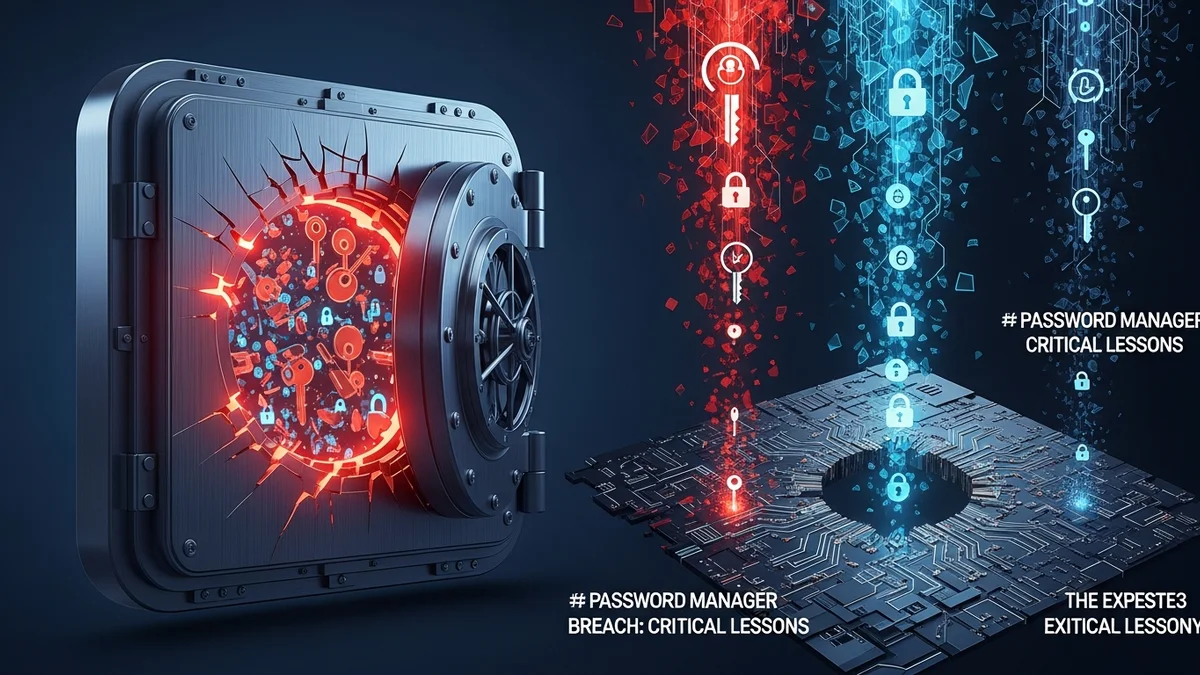
The LastPass breach is one of the most significant security incidents ever to affect a major password manager. For millions of users, password managers represent the cornerstone of their digital security — a single vault protecting hundreds of credentials. When LastPass disclosed in 2022 that attackers had stolen source code and later accessed customer vault backups, it sent shockwaves through the cybersecurity community.
While password managers remain far safer than reusing weak passwords, the breach exposed important weaknesses and highlighted hard truths. Here are the critical lessons every password manager user needs to understand — and act on.
What Actually Happened in the LastPass Breach?
In August 2022, LastPass announced that attackers had gained access to its development environment and stolen portions of its source code. Months later, the company revealed a second, more serious incident: attackers used information obtained in the first breach to compromise a cloud storage environment.
This second intrusion resulted in the theft of customer vault backups, which included:
- Encrypted usernames and passwords
- Website URLs stored in vault entries (not encrypted)
- Customer names, email addresses, billing addresses, and phone numbers
LastPass stated that vault data was protected by strong AES-256 encryption and could only be decrypted using the user's master password. However, because encrypted vaults were taken offline, attackers could theoretically attempt brute-force attacks against weak master passwords.
The key takeaway: even if encryption is strong, your security ultimately depends on how strong your master password is.
Lesson 1: Your Master Password Is Everything
Password managers operate on a zero-knowledge model — meaning the provider cannot see your master password. That’s good for privacy. But it also means if your master password is weak, there’s no safety net.
If attackers obtain encrypted vault copies, they can attempt offline brute-force cracking attempts. Strong encryption resists this, but weak passwords fall quickly.
To protect yourself:
- Use a master password that is at least 14–16 characters long
- Avoid dictionary words or predictable phrases
- Use a passphrase made of unrelated words
- Enable multi-factor authentication (MFA) immediately
The LastPass breach reinforced a fundamental truth: your master password should be stronger than any other password you use — by far.
Lesson 2: Encryption Doesn’t Protect Everything
One controversial detail from the LastPass breach was that website URLs stored in vaults were not encrypted. This meant attackers could see which services users had accounts with — even if they couldn’t access the passwords themselves.
Why does this matter? Because knowing where someone has accounts enables highly targeted phishing attacks. For example, if attackers know you use PayPal, Dropbox, or a specific bank, they can craft convincing phishing emails designed to trick you into revealing credentials.
This highlights the importance of breach monitoring. Even if your passwords remain encrypted, exposed metadata and personal information can still increase your risk.
Tools like LeakDefend can monitor your email addresses against newly discovered data breaches, helping you respond quickly if your information appears in compromised datasets.
Lesson 3: Zero-Trust Means Zero Assumptions
One of the most unsettling aspects of the incident was how attackers reportedly leveraged information stolen in the first breach to execute the second. It demonstrated how seemingly minor intrusions can escalate into major compromises over time.
For users, this reinforces a zero-trust mindset:
- Don’t assume a company is immune to breaches
- Don’t assume encryption alone guarantees safety
- Don’t assume old breaches are irrelevant
Security is cumulative. If you’ve used the same master password for years, now is the time to reassess it. If you reused that master password anywhere else — change those accounts immediately.
Lesson 4: Multi-Factor Authentication Is Non-Negotiable
MFA dramatically reduces the risk of account takeover. Even if an attacker cracks or steals your master password, MFA can stop them from accessing your vault.
LastPass supports various MFA methods, including authenticator apps and hardware keys. Security experts widely agree that hardware-based MFA (such as YubiKeys) offers the strongest protection.
The broader lesson applies to all critical accounts:
- Email accounts must have MFA enabled
- Password managers must have MFA enabled
- Financial and cloud storage services must have MFA enabled
Email security is particularly crucial. If an attacker controls your email account, they can reset passwords across dozens of services. LeakDefend.com lets you check all your email addresses for free to see whether they’ve appeared in known breaches — a simple but powerful defensive step.
Lesson 5: Diversification and Risk Management Matter
The LastPass breach sparked debate about whether users should store everything in a single password manager. While password managers remain one of the safest options overall, some users now diversify risk by:
- Using a separate manager for high-value accounts
- Keeping sensitive recovery keys offline
- Storing backup MFA codes in secure physical locations
According to IBM’s 2023 Cost of a Data Breach Report, the global average cost of a breach reached $4.45 million — a reminder that cybercrime continues to grow more sophisticated and financially motivated. Individual users are part of that ecosystem.
Your strategy should reflect layered defense: strong passwords, MFA, breach monitoring, and ongoing awareness.
What Should LastPass Users Do Now?
If you were affected — or if you simply want to strengthen your security posture — take these steps:
- Change your master password (especially if it was weak or reused)
- Enable or upgrade MFA
- Rotate passwords for high-value accounts (banking, email, crypto)
- Be vigilant for targeted phishing attempts
- Monitor your email addresses for breach exposure
Proactive monitoring reduces reaction time. The sooner you know your data is circulating in breach databases, the faster you can secure your accounts.
🔒 Check If Your Email Was Breached — Monitor up to 3 email addresses for free with LeakDefend. Start Your Free Trial →
Conclusion: Password Managers Are Still Worth It — But Only If You Use Them Wisely
The LastPass breach did not prove that password managers are flawed beyond use. In fact, security experts still overwhelmingly recommend them over password reuse or memorized weak passwords.
What the breach did reveal is this: no system is invulnerable. Your security depends on how you configure and maintain your tools.
A strong master password, robust multi-factor authentication, cautious phishing awareness, and continuous breach monitoring form the foundation of modern digital protection. Password managers are powerful — but they are not magic.
Use them wisely, layer your defenses, and assume that breaches are a matter of when, not if. Preparation, not panic, is what keeps your digital identity secure.