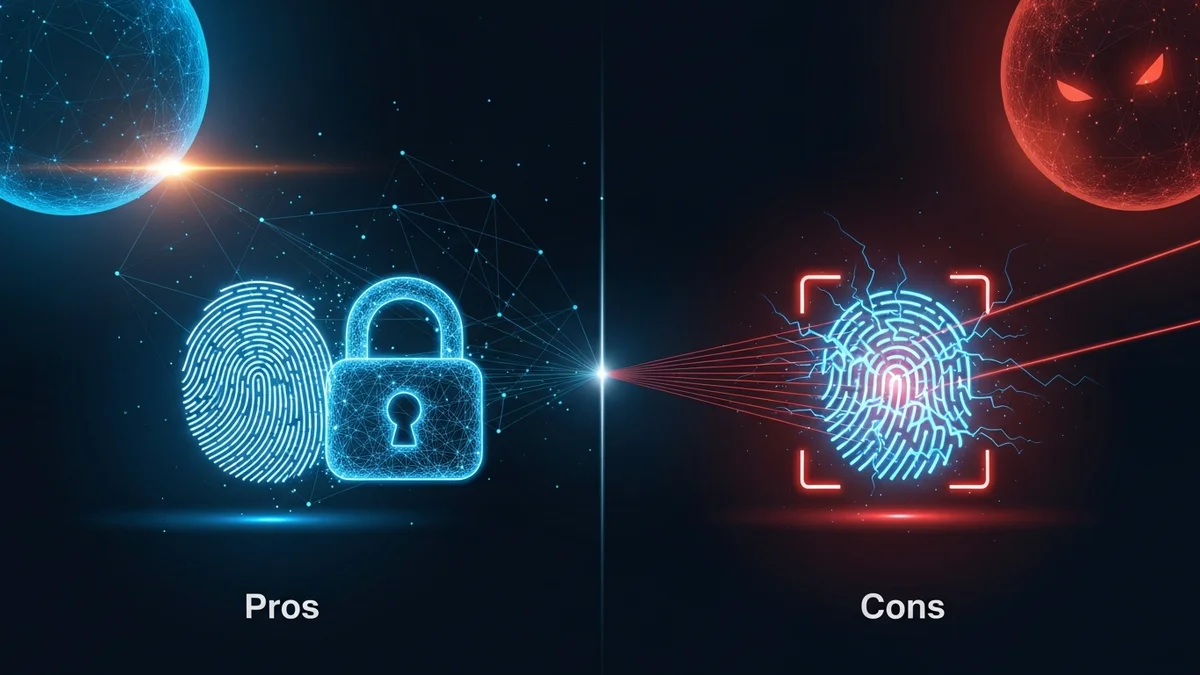
Biometric authentication has rapidly moved from science fiction to everyday life. Unlocking your phone with your face, logging into apps with your fingerprint, or passing airport control via iris scans now feels normal. Businesses promote biometrics as safer and more convenient than passwords — and in many cases, they are.
But biometric authentication is not a silver bullet. While it eliminates some traditional security problems, it introduces new privacy and data protection concerns that are often overlooked. Understanding the pros and cons of biometric authentication is essential before trusting it with your digital identity.
What Is Biometric Authentication?
Biometric authentication verifies identity using unique physical or behavioral traits. The most common types include:
- Fingerprint recognition
- Facial recognition
- Iris or retina scans
- Voice recognition
- Behavioral biometrics (typing patterns, movement habits)
Instead of something you know (a password) or something you have (a token), biometrics rely on something you are. According to industry research, over 80% of smartphones globally now support biometric unlocking, and financial institutions increasingly use biometric verification for customer authentication.
On the surface, it sounds ideal. After all, you can’t forget your fingerprint.
The Pros of Biometric Authentication
Biometric systems gained popularity for good reasons. They solve several major weaknesses of password-based security.
1. Convenience and Speed
Users no longer need to remember complex passwords or reset them constantly. A fingerprint unlock takes less than a second. This convenience significantly improves user experience and reduces password fatigue.
2. Harder to Guess or Brute-Force
Unlike passwords, biometric traits cannot be guessed or cracked using brute-force attacks. You can’t run a botnet against someone’s face the way you can against a weak password.
3. Reduced Phishing Risk
Traditional phishing attacks trick users into entering credentials on fake websites. Biometric authentication, particularly when combined with device-based secure enclaves, reduces exposure to credential theft because there’s often no password to steal.
4. Improved Multi-Factor Authentication (MFA)
Biometrics work especially well as part of multi-factor authentication. Combining something you are (biometrics) with something you have (a device) creates stronger layered protection.
For everyday users, this can significantly reduce account takeover risk — particularly when paired with tools like LeakDefend, which monitor your email addresses for breaches that could expose other login credentials.
The Cons of Biometric Authentication
Despite its advantages, biometric authentication has serious drawbacks that deserve attention.
1. Biometrics Cannot Be Changed
If your password is leaked, you can change it. If your fingerprint data is stolen, you cannot change your fingerprint.
This risk became very real in 2015 when the U.S. Office of Personnel Management (OPM) breach exposed the fingerprints of approximately 5.6 million federal employees. Unlike passwords, that data remains permanently compromised.
2. Centralized Biometric Databases Are High-Value Targets
Biometric data stored in centralized systems creates a lucrative target for hackers. In 2019, the Biostar 2 security platform breach exposed over 1 million fingerprints and facial recognition records stored in an unprotected database.
When biometric data is stored improperly, the consequences can be severe and irreversible.
3. False Positives and False Negatives
No biometric system is 100% accurate. Facial recognition systems have faced criticism for bias and misidentification. A 2019 U.S. National Institute of Standards and Technology (NIST) study found that some facial recognition algorithms had higher false-positive rates for certain demographic groups.
False negatives (failing to recognize legitimate users) can cause frustration. False positives (incorrectly identifying someone as authorized) create security risks.
4. Privacy Concerns
Biometric data is deeply personal. Unlike a password, your face or iris reveals more than identity — it can expose health conditions, ethnicity, or other sensitive attributes. The widespread adoption of facial recognition in public spaces has sparked global privacy debates.
Users often don’t know where their biometric data is stored, how long it is retained, or who has access to it.
Biometrics vs. Passwords: Which Is Safer?
This is not an either-or situation. Biometrics are generally safer than weak or reused passwords — and password reuse remains a massive problem. According to various cybersecurity studies, over 60% of users reuse passwords across multiple accounts.
When one site is breached, attackers test those same credentials elsewhere. That’s why monitoring exposed email addresses is critical. LeakDefend.com lets you check all your email addresses for free and alerts you if your data appears in known breaches.
However, biometrics alone should not replace layered security. The safest approach combines:
- Biometric authentication
- Strong, unique passwords stored in a password manager
- Multi-factor authentication
- Proactive breach monitoring
Biometrics are strongest when used locally on devices (like Apple’s Secure Enclave or Android’s Trusted Execution Environment), where raw biometric data does not leave the device.
Best Practices for Using Biometric Authentication Safely
If you choose to use biometrics, follow these practical safeguards:
- Enable multi-factor authentication wherever possible.
- Keep your device updated to patch security vulnerabilities.
- Use a strong device passcode as a fallback.
- Avoid enrolling biometrics on shared or unsecured devices.
- Monitor your accounts for breaches using services like LeakDefend to detect early warning signs of compromised credentials.
Remember: even if your biometric data stays secure, associated email accounts and passwords may still be exposed in unrelated data breaches.
Conclusion: A Powerful Tool — With Permanent Consequences
The pros and cons of biometric authentication reveal a nuanced reality. Biometrics offer speed, convenience, and improved protection against password-based attacks. They reduce phishing risk and strengthen multi-factor authentication.
But they also introduce permanent risks. Biometric data cannot be reset, centralized databases create attractive hacking targets, and privacy concerns remain unresolved.
The smartest approach isn’t to reject biometrics — it’s to use them wisely as part of a broader security strategy. Combine biometric login with strong password hygiene, multi-factor authentication, and proactive breach monitoring.
🔒 Check If Your Email Was Breached — Monitor up to 3 email addresses for free with LeakDefend. Start Your Free Trial →
Security is never about a single solution. It’s about layers. And in a world where data breaches are routine, staying informed and proactive is your strongest defense.