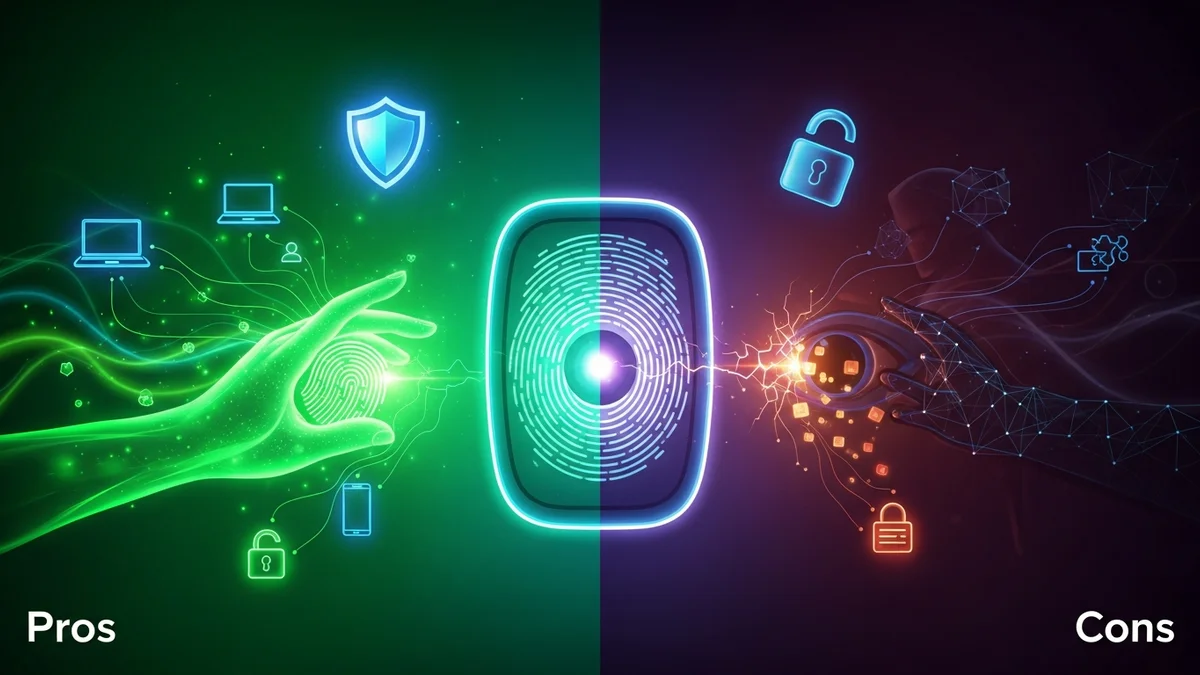
Biometric authentication has quickly moved from science fiction to everyday life. We unlock phones with our faces, log into apps with fingerprints, and pass through airport security using iris scans. Tech companies promote biometrics as safer and more convenient than passwords—and in many ways, they are.
But no security method is perfect. While biometrics eliminate the need to remember complex passwords, they introduce unique risks that many users don’t fully understand. If your password is leaked, you can change it. If your fingerprint is stolen, you cannot.
Let’s break down the real pros and cons of biometric authentication so you can decide whether it’s the right choice for your digital security.
What Is Biometric Authentication?
Biometric authentication verifies identity using unique physical or behavioral traits. The most common types include:
- Fingerprint recognition
- Facial recognition
- Iris or retina scans
- Voice recognition
- Behavioral biometrics (typing rhythm, mouse movements)
Apple’s Face ID, for example, reportedly has a false acceptance rate of approximately 1 in 1,000,000, compared to about 1 in 50,000 for Touch ID fingerprint recognition. These numbers highlight how advanced biometric systems have become.
However, security isn’t just about accuracy—it’s also about storage, transmission, and what happens when data is exposed.
The Advantages of Biometric Authentication
Biometric authentication offers several compelling benefits.
- Convenience: You don’t need to remember complex passwords. A glance or touch is enough.
- Speed: Logging in takes seconds, reducing friction for users.
- Harder to guess or brute-force: Unlike passwords, biometric traits cannot be easily guessed or cracked using automated tools.
- Reduced phishing risk: You can’t accidentally “share” your fingerprint in a phishing email the way you might type your password into a fake login page.
From a user experience perspective, biometrics are a major upgrade. They also encourage stronger security behavior. Many users who would otherwise reuse weak passwords across dozens of accounts are more willing to enable biometric login on their devices.
That said, biometrics often protect access to a device—but not necessarily the accounts behind it. If your email-password combination is exposed in a breach, attackers can still attempt credential stuffing on other services. That’s why tools like LeakDefend can monitor your email addresses for breaches and alert you if your credentials appear in compromised databases.
The Security Risks and Limitations
Despite their advantages, biometric systems come with serious limitations.
- Irreversible compromise: You can reset a password. You cannot reset your fingerprint or face.
- Database breach risks: If biometric data is centrally stored and exposed, the consequences are long-term.
- Spoofing attacks: High-resolution photos, 3D masks, or lifted fingerprints have been used to bypass weaker systems.
- False positives and false negatives: No system is perfect. Environmental factors, injuries, or aging can affect accuracy.
One of the most concerning examples occurred in 2015, when the U.S. Office of Personnel Management (OPM) breach exposed the fingerprint records of approximately 5.6 million federal employees. Unlike passwords, those fingerprints cannot be changed.
Similarly, centralized biometric systems such as India’s Aadhaar database have raised concerns about data exposure and misuse. When biometric data is stored at scale, it becomes a high-value target for attackers.
The key issue is not just authentication accuracy—it’s how and where biometric data is stored. On-device storage (such as Apple’s Secure Enclave) is generally safer than cloud-based repositories.
Privacy Concerns and Ethical Questions
Biometric authentication also raises significant privacy concerns.
Your biometric traits are deeply personal. Unlike passwords, they are permanently tied to your physical identity. If companies collect, analyze, or share this data beyond authentication purposes, the risks extend beyond cybersecurity into surveillance.
Facial recognition, in particular, has faced criticism for potential misuse by governments and private organizations. Studies have shown that some facial recognition systems have higher error rates for women and people of color, raising concerns about bias and discrimination.
Moreover, biometric authentication often operates invisibly. Users may not fully understand what data is stored, how long it’s retained, or who has access to it.
Before enabling biometric authentication, it’s important to review privacy policies and ensure the system uses encrypted, on-device storage whenever possible.
Biometrics vs. Passwords: Which Is More Secure?
This isn’t a simple either-or comparison. Biometrics and passwords serve different purposes.
Passwords are knowledge-based authentication. Biometrics are inherence-based authentication. Each has strengths and weaknesses.
Passwords are vulnerable to:
- Phishing attacks
- Credential stuffing
- Brute-force cracking
- Reuse across multiple accounts
Biometrics are vulnerable to:
- Spoofing under certain conditions
- Permanent compromise if leaked
- Privacy misuse
The strongest approach is multi-factor authentication (MFA)—combining something you know (password), something you have (security key or device), and something you are (biometric).
For example, using a strong, unique password stored in a password manager, combined with biometric device unlock and two-factor authentication, dramatically reduces risk.
It’s also critical to monitor whether your credentials have already been exposed. LeakDefend.com lets you check all your email addresses for free and receive alerts if they appear in known breaches—helping you act quickly before attackers exploit leaked data.
Best Practices for Using Biometric Authentication Safely
If you choose to use biometrics, follow these best practices:
- Enable multi-factor authentication wherever possible.
- Prefer on-device storage over cloud-based biometric systems.
- Keep your devices updated to patch security vulnerabilities.
- Use strong, unique passwords in addition to biometrics.
- Monitor for data breaches to catch compromised credentials early.
Biometrics should enhance your security—not replace foundational protections.
🔒 Check If Your Email Was Breached — Monitor up to 3 email addresses for free with LeakDefend. Start Your Free Trial →
Conclusion: Powerful, But Not Foolproof
Biometric authentication offers undeniable convenience and strong protection against many common attacks. It reduces password fatigue, lowers phishing risk, and simplifies secure access to devices and accounts.
However, it is not a silver bullet. Biometric data is permanent, sensitive, and potentially dangerous if exposed. Major breaches like the OPM incident demonstrate the long-term risks of compromised biometric databases.
The smartest approach is layered security: combine biometrics with strong password hygiene, multi-factor authentication, and proactive breach monitoring. Tools like LeakDefend help ensure that even if your credentials surface in a data leak, you’ll know immediately and can respond before serious damage occurs.
In cybersecurity, convenience should never come at the cost of resilience. Used wisely, biometric authentication can be a powerful part of your defense—but it works best when it’s not your only line of protection.