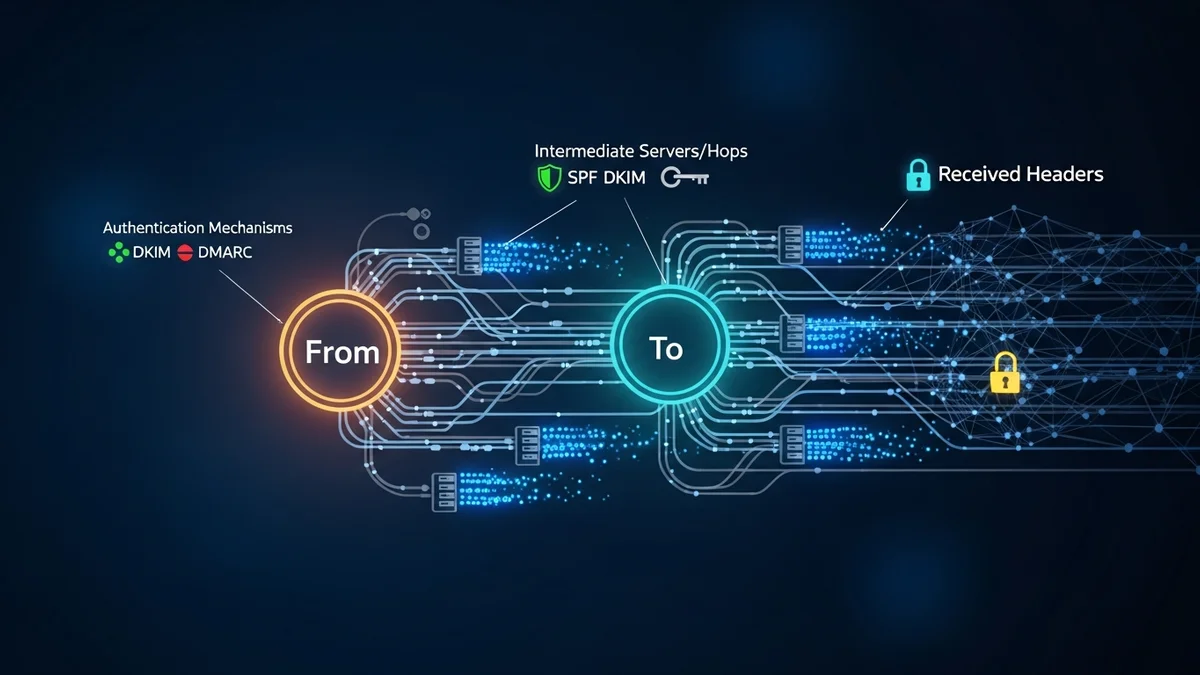
Phishing attacks remain one of the most common and dangerous cyber threats worldwide. According to the FBI’s Internet Crime Complaint Center (IC3), phishing consistently ranks as the top reported cybercrime, with hundreds of thousands of complaints each year. While many phishing emails look convincing on the surface, their technical fingerprints often reveal the truth. That’s where email header analysis becomes a powerful investigative tool.
If you’ve ever wondered how to trace a phishing email or identify where it really came from, understanding email headers is the key. In this guide, we’ll break down what email headers are, how to analyze them, and what clues can help you uncover malicious activity.
What Is an Email Header?
An email header is the technical metadata attached to every email message. While the visible "From" field can be easily spoofed, the header contains detailed routing information that shows how the message traveled across mail servers before reaching your inbox.
Email headers typically include:
- From: The displayed sender address (often spoofed in phishing emails)
- Return-Path: The address where bounce messages are sent
- Received: A chain of mail servers that handled the message
- Reply-To: The address that receives replies
- SPF, DKIM, and DMARC results: Authentication checks for domain legitimacy
These fields help determine whether an email truly came from the organization it claims to represent — or from a cybercriminal halfway around the world.
How to Access Email Headers in Popular Email Clients
Before you can analyze a phishing email, you need to access its full header information. Most email providers make this possible, though the option may be hidden in advanced settings.
- Gmail: Open the email, click the three dots in the top-right corner, and select “Show original.”
- Outlook: Open the message, go to File > Properties, and view “Internet headers.”
- Apple Mail: View > Message > All Headers.
Once opened, you’ll see a block of technical text. It may look overwhelming at first, but certain fields provide immediate red flags.
Key Fields to Analyze When Tracing a Phishing Email
When performing email header analysis, focus on these critical elements:
1. The “Received” Chain
The “Received” fields show each mail server that processed the message, listed in reverse chronological order (newest first). To trace the origin, read from the bottom up. The earliest “Received” entry typically reveals the originating IP address.
If an email claims to be from a U.S. bank but the originating IP resolves to a different country with no connection to that institution, that’s a major warning sign.
2. Sender IP Address
Copy the originating IP address and use a public IP lookup tool to identify its geographic location and hosting provider. Many phishing campaigns operate from compromised servers or low-reputation hosting providers.
Keep in mind that attackers sometimes use botnets or hijacked servers, so the IP may not directly identify the criminal — but it still helps confirm illegitimacy.
3. SPF, DKIM, and DMARC Results
Modern email systems use authentication protocols to verify legitimate senders:
- SPF (Sender Policy Framework): Confirms whether the sending server is authorized by the domain.
- DKIM (DomainKeys Identified Mail): Ensures the message hasn’t been altered.
- DMARC: Aligns SPF and DKIM results with domain policies.
If you see “spf=fail” or “dkim=fail,” the email likely wasn’t sent from an authorized server. Many large-scale phishing attacks exploit lookalike domains that fail authentication checks.
4. Mismatched Domains
Check whether the “From” address domain matches the “Return-Path” and “Reply-To” domains. Phishing emails often display a legitimate brand in the visible field but redirect replies elsewhere.
For example, a message claiming to be from support@paypal.com that replies to paypal-security-alerts@randomdomain.xyz is clearly suspicious.
Real-World Phishing Examples and What Headers Reveal
Major data breaches have often started with simple phishing emails. The 2013 Target breach, which compromised over 40 million credit card numbers, began with a phishing email sent to a third-party vendor. Similarly, the 2016 Democratic National Committee breach was initiated through a spear-phishing attack.
In many such cases, header analysis would have revealed:
- Sending servers unrelated to the impersonated organization
- Failed SPF or DKIM authentication
- Spoofed display names masking suspicious domains
While not every employee is trained to analyze headers, security teams routinely rely on this method during incident investigations.
Limitations of Email Header Analysis
Although powerful, email header analysis isn’t foolproof.
- Attackers may use compromised legitimate servers.
- Cloud-based email services can obscure direct origin IPs.
- Advanced spear-phishing campaigns may pass SPF and DKIM checks using lookalike domains.
This is why header analysis should be combined with broader security hygiene, including multi-factor authentication, password managers, and breach monitoring tools.
For instance, tools like LeakDefend can monitor your email addresses for known data breaches, alerting you if your credentials appear in leaked databases. If your email has been exposed in a prior breach, attackers may specifically target you with phishing campaigns.
Proactive Protection Beyond Header Analysis
Tracing a phishing email is useful, but prevention is even more critical. Consider these best practices:
- Use strong, unique passwords for every account.
- Enable multi-factor authentication wherever possible.
- Regularly check whether your email addresses appear in data breaches.
- Be cautious with urgent requests involving money, credentials, or sensitive data.
LeakDefend.com lets you check all your email addresses for free and receive alerts if they’re found in breach databases. Early detection reduces the risk of account takeover and identity fraud.
🔒 Check If Your Email Was Breached — Monitor up to 3 email addresses for free with LeakDefend. Start Your Free Trial →
Conclusion
Email header analysis is one of the most effective ways to trace a phishing email and uncover its true origin. By examining the “Received” chain, sender IP address, authentication results, and domain mismatches, you can detect red flags that aren’t visible in the message body alone.
However, technical analysis should be part of a larger cybersecurity strategy. Phishing attacks continue to evolve, and even experienced users can be targeted. Combining awareness, authentication safeguards, and continuous monitoring through services like LeakDefend dramatically improves your defense against account compromise.
The next time a suspicious email lands in your inbox, don’t just look at the sender name — dig into the header. The truth is almost always hiding there.